Most of us are familiar with one-to-one agent chats: private, direct interactions where rules are relatively simple. With only you and the agent, each moment has clear intent. You can ask follow-up questions, pause, or restart without worrying about how each exchange affects anyone else.
Collaboration in groups works differently. Every message competes for attention, and a reply that is helpful to one individual may interrupt five others. Effective collaboration is built on countless small social judgments and gestures: deciding when to respond or stay quiet, choosing how much to say, and using the conventions and affordances of the setting appropriately. Through direct guidance, trial and error, and observation, we learn the behaviors needed to keep communication manageable in busy workspaces.
As agents join us in these spaces, they need to adopt the same kinds of behaviors. In a collaborative space, it’s not enough for an agent to understand and respond to what was said, it must be able to participate without making the conversation harder to follow. Emoji reactions, threaded replies, and quoted replies are three key features of Teams conversations that agents can use to add value while keeping a conversation flowing.
Emoji reactions
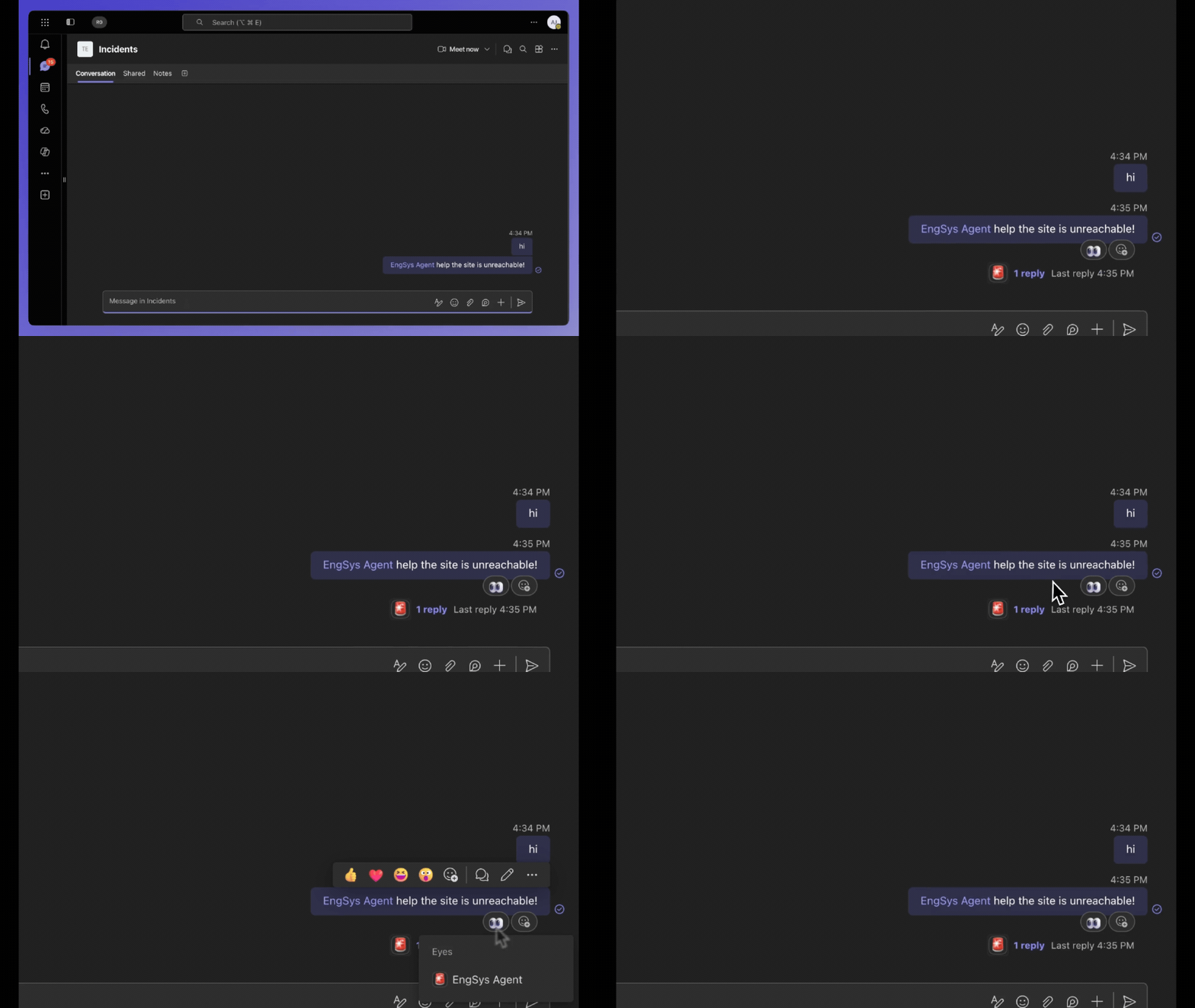
Sometimes an emoji is enough: reactions let an agent acknowledge a message without adding another reply to the chat. A teammate might say, “Hey @agent, can you pull the latest sales report?” The agent can react with an 👀 right away to show it saw the request and is working on it. When the task is done, it can replace that with a ✅. The status is clear and the chat stays quiet.
app.on('message', async ({ api, activity }) => {
  // React to the user's incoming message with 👍
  await api.conversations.addReaction(activity.conversation.id, activity.id, 'like');

  // ...and later remove it
  await api.conversations.deleteReaction(activity.conversation.id, activity.id, 'like');

  return;
});
Threaded replies
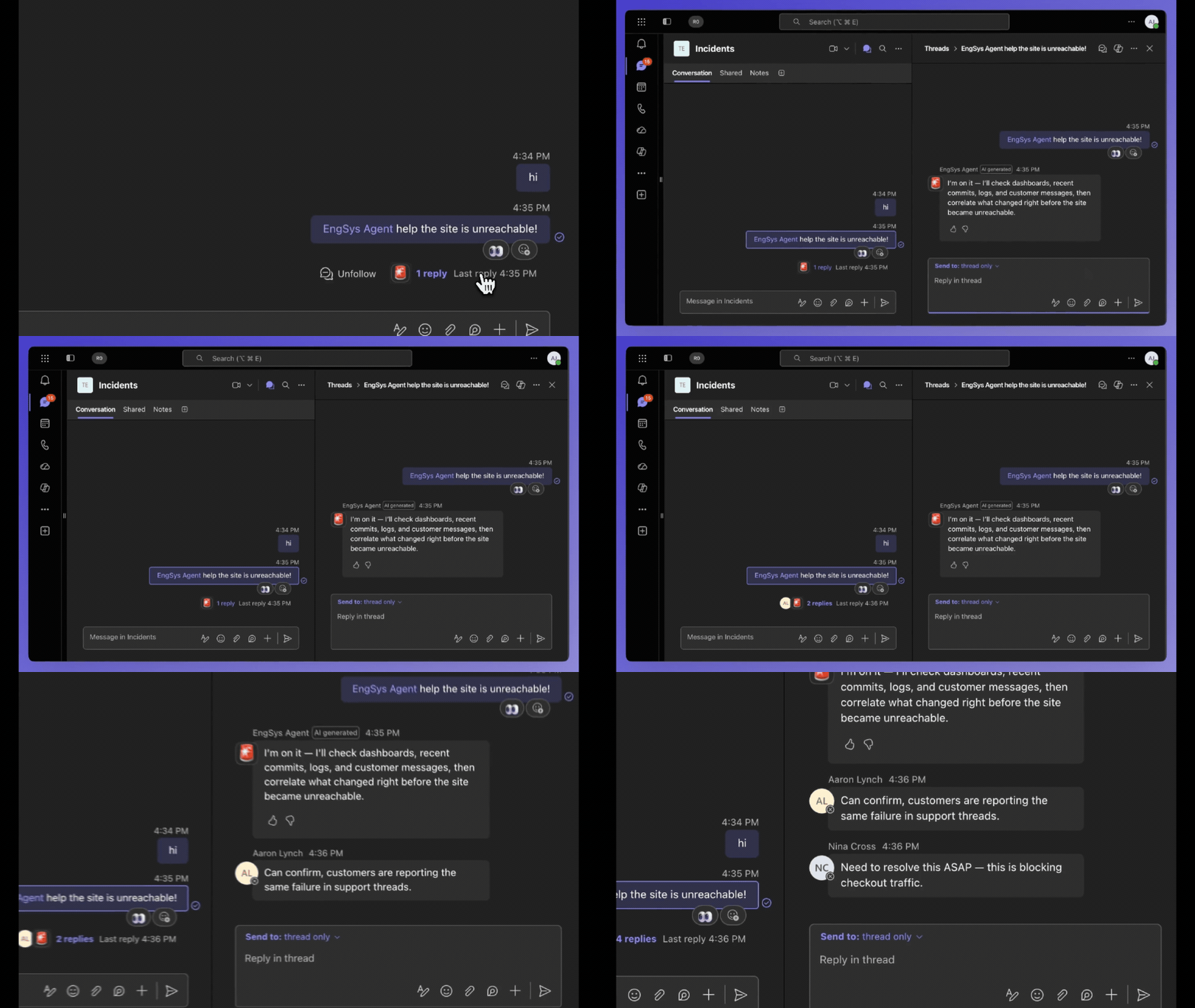
In channels, a thread is often the right place to continue, keeping discussion contained instead of pulling the whole channel along. Someone kicks off a code review in a channel, and the agent responds in the thread with its findings, keeping the main channel clean. Anyone involved can expand the thread; everyone else can scroll past undisturbed.
app.on('message', async ({ reply }) => {
    // reply() sends a quoted reply to right thread automatically
    await reply('This is a threaded reply to your message.');
    return;
});
Quoted replies
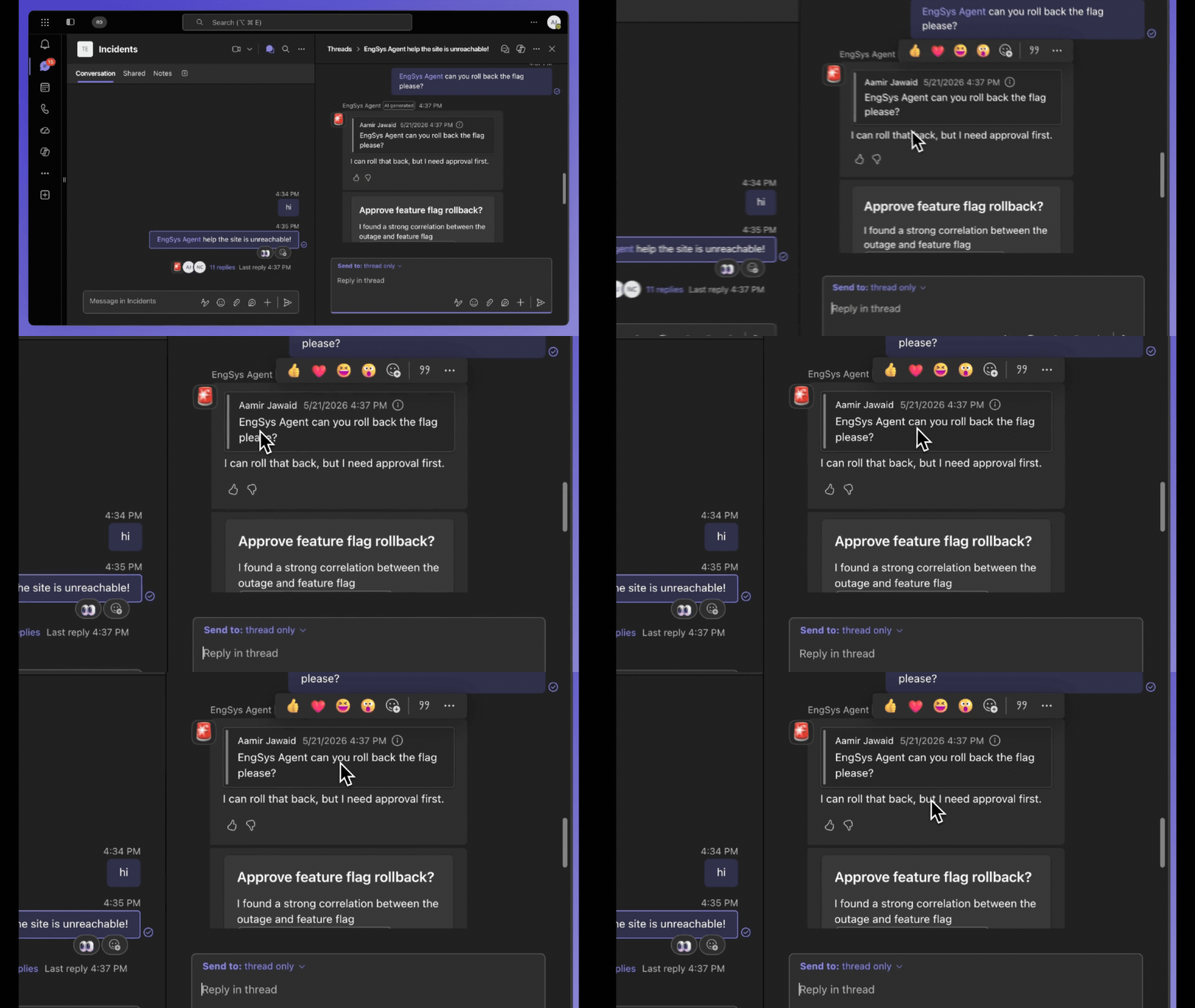
When we want to bring an earlier message back into focus, we quote it so everyone knows what we’re responding to, and agents can do the same. If someone asked a question ten messages ago, the agent can quote that message and answer directly. The chat keeps moving along, and no one needs to ask, “What are you responding to?” This is especially useful for asynchronous tasks. You might assign the agent to follow up on an incident and then move on, while the agent takes a few hours to finish the task. When it does, the quoted reply ties the response back to the original message, no matter where the conversation has gone.
app.on('message', async ({ quote, send }) => {
    const sent = await send('The meeting has been moved to 3 PM tomorrow.');
    await quote(sent.id, 'Just to confirm — does the new time work for everyone?');
    return;
});
These patterns matter because they give agents more than one way to contribute while mirroring the conversation patterns we use every day. Without them, an agent’s default interaction model is simply another message in the conversation. Group collaboration often calls for something lighter: an acknowledgement, a contained follow-up, or a response anchored to the right moment. Reactions, threaded replies, and quoted replies offer agents ways to do this without always speaking up in the primary channel. They allow agents to participate without assuming every action deserves a new message.
Designing agents in shared spaces is not just about making them more capable. It is about helping them participate with social cues in mind. The best collaborative agents will not be the ones that respond the most, but the ones that know when and how to answer. You can start building these interaction patterns into your agent today with the Teams SDK and coding agent skill. To see these ideas in action, check out our Build demo session, Build agents where work happens: chats, channels, and meetings in Microsoft Teams.
Category
Topics
Author
Lily Du is a Software Engineer with Microsoft.